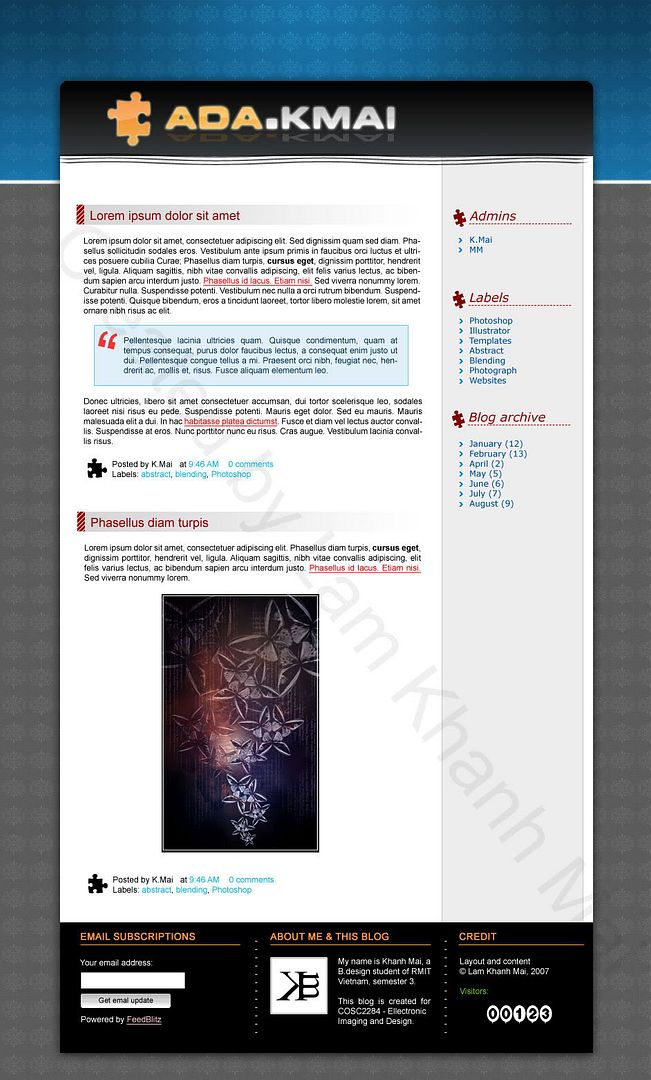
Layout screenshot (click HERE for the full layout)
I want to try making a new layout for this blogger and this is the 1st draft of the layout. I called it 1st draft because I encountered trouble with the texture and maybe I will have to change it if I want to make it a working layout.
The current header, I saw it in many CSS layout recently (the way they use a gradient-color banner on top and change to another color for main background. Usually there is Tabs for navigation there, but I don't need tabs for blogger so just forget about it) and I definitely want to try. The texture and puzzles is from shapes that Photoshop has. I really like the texture and want to keep it, but I had trouble slicing the image because it's so hard to make the texture of background fit the texture of header when I center it, especially with monitor larger than 1024) For the rest of the details, there is nothing special, i just created some blog-like header and footer.
I've checked the code of Blogger layout and everything should be ok (except the footer, I'm not quite sure if I can do that). I'll try to finish coding this Monday. I hope it will be alright, I really want to have a personal look on Blogger.
The current header, I saw it in many CSS layout recently (the way they use a gradient-color banner on top and change to another color for main background. Usually there is Tabs for navigation there, but I don't need tabs for blogger so just forget about it) and I definitely want to try. The texture and puzzles is from shapes that Photoshop has. I really like the texture and want to keep it, but I had trouble slicing the image because it's so hard to make the texture of background fit the texture of header when I center it, especially with monitor larger than 1024) For the rest of the details, there is nothing special, i just created some blog-like header and footer.
I've checked the code of Blogger layout and everything should be ok (except the footer, I'm not quite sure if I can do that). I'll try to finish coding this Monday. I hope it will be alright, I really want to have a personal look on Blogger.